
Order changes with a clear audit trail
Agree how sent items, allergy instructions, cancellations and kitchen acknowledgements are recorded. Staff should be able to distinguish a new item from a changed item and know who approved a void.
Connect restaurant point of sale, kitchen display systems (KDS), waiter ordering, online ordering and table management in one coordinated service workflow for dine-in, takeaway and delivery.
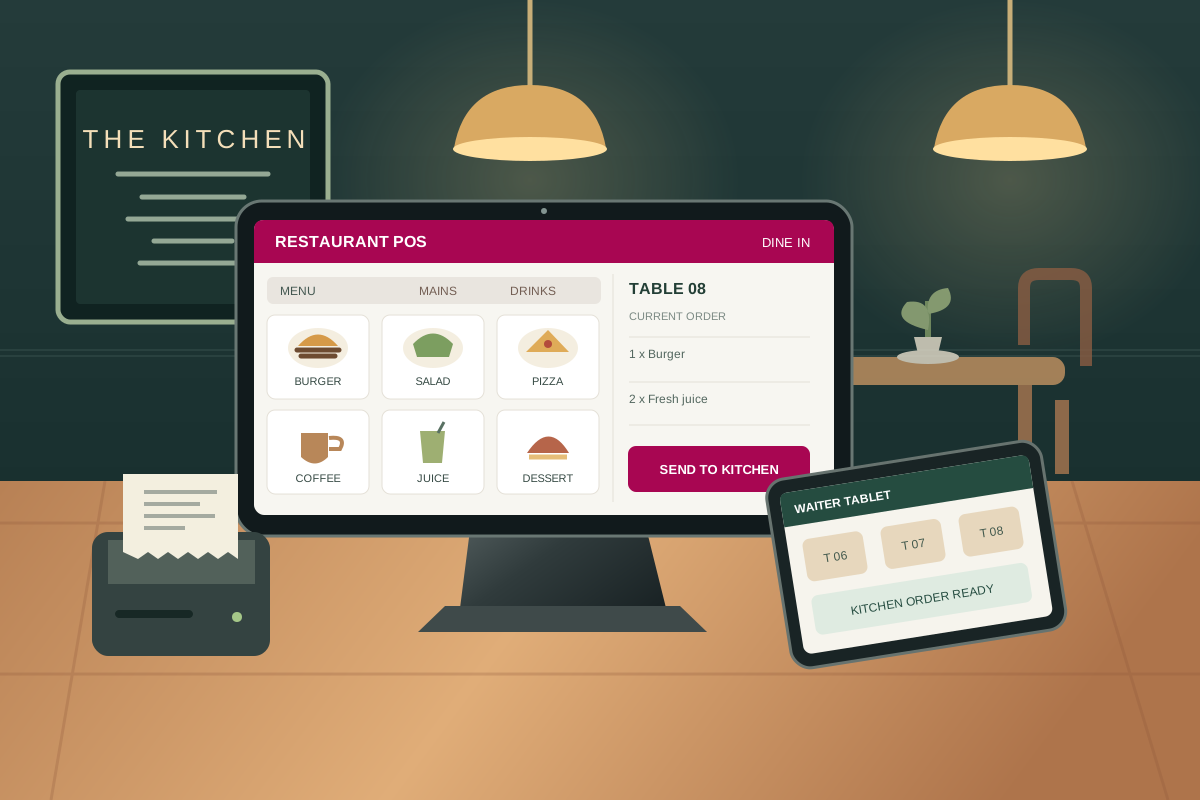
Plan a restaurant POS solution around the way your venue actually serves guests. Map menus, modifiers, table layouts, kitchen stations, payments and delivery channels before rollout. DO ALL helps you define the required devices, integrations, access controls and acceptance tests so the path from order capture to kitchen preparation, settlement and stock consumption is clear. Hardware, payment providers and channel integrations are confirmed in the agreed scope.
Keep waiter orders, preparation tickets and cashier bills linked so staff can follow changes without re-entering the same order.
Route items to the appropriate preparation station and track queued, preparing and ready orders with agreed service targets.
Reconcile payments, discounts, voids and ingredient usage against sales with clear shift ownership and approval records.
Build orders for dine-in, takeaway and delivery with item notes, modifiers, combos and course timing. Review discounts, service charges, refunds and tax calculations before closing a bill.
Configure dining areas, table capacity, reservations and occupancy states. Test moving guests, merging tables, transferring an open check and splitting bills by guest or item without losing order history.
Give waiters a clear view of assigned tables, open orders, item availability and preparation status on supported handheld devices. Send changes to the kitchen with staff identity and timestamps.
Route food and beverages to kitchen, bar and expeditor displays by preparation station. Track ticket age, preparation status, modifiers and course release; test recalls, cancellations and ready-to-serve notifications.
Scope a branded ordering journey with a digital menu, QR table ordering, modifiers, pickup times and order confirmation. Agree how online availability, pricing, payment and order status stay consistent with the POS.
Coordinate pickup orders, delivery zones, dispatch status and customer instructions. Third-party aggregator connections depend on provider APIs, permissions, commercial terms and reconciliation requirements.
Manage categories, sizes, extras, meal deals, preparation notes, daypart menus and unavailable items. Define price overrides and channel-specific menus with authorised changes and tested tax treatment.
Link menu items to recipes, yields and ingredient units. Review purchasing, stock counts, wastage and theoretical versus actual food cost; confirm how substitutions and cancellations affect consumption.
Scope cash, card and supported digital payment methods, deposits, split tender and gratuities. Test terminal handoffs, failed authorisations, refunds and end-of-day settlement with the selected payment provider.
Discuss customer-facing order and payment displays, guest profiles, loyalty points, vouchers and consent-based promotions. Keep waiter displays and customer displays distinct when choosing devices and screens.
Define cashier, waiter, supervisor and manager permissions. Require approvals for sensitive voids, discounts and refunds, and reconcile opening floats, cash movements and shift closing differences.
Compare outlet sales, item mix, table turnover and tender totals using agreed definitions. Confirm network outage behaviour, local printing, queued orders and resynchronisation on the exact devices before rollout.
Coordinate reservations, table service, coursing, kitchen stations and split bills across the dining room and cashier.
Organise counter orders, takeaway queues, barista tickets, combos and fast payment workflows during busy periods.
Plan shared menus, outlet-specific availability, online channels, dispatch handoffs and consolidated reporting.
We confirm requirements, dependencies and acceptance criteria with your team. The proposal sets out the included capabilities, integrations and responsibilities.

Walk through ordering, kitchen preparation, guest service and close-of-day reconciliation with your team.
Prepare menus, tables, recipes, station routing, user roles and the agreed channel connections.
Run a service simulation on the intended devices, including busy periods and failure scenarios.
Train each role, verify opening balances and review exceptions and operational reports after launch.
Review what happens when an order changes after preparation starts, a payment fails or a guest moves tables. These exceptions reveal whether the dining room, kitchen and cashier really share an accountable workflow.
Explore these extensions during discovery. Availability, configuration, integrations and service commitments are confirmed in your agreed scope.
Agree how sent items, allergy instructions, cancellations and kitchen acknowledgements are recorded. Staff should be able to distinguish a new item from a changed item and know who approved a void.
Define when preparation timers begin and stop, how courses are released and how the expeditor sees ready items. Review real peak-shift scenarios instead of treating a short ticket time as proof of a better guest experience.
Match POS totals with payment-provider settlements, delivery-channel fees, cash and refunds. Record unresolved differences and responsibility for investigation rather than hiding them in a balancing adjustment.
Include KDS station routing, ticket states, modifiers, course release and expeditor views in the demonstration. Supported displays, network requirements and any kitchen printers are confirmed in scope.
No. Waiter displays support table and order service, while customer-facing displays show the guest an order summary or payment information. Confirm the screens, permissions and device support you need for each role.
Discuss QR menus, table ordering, pickup and delivery journeys. Online checkout, payment gateways, customer notifications and POS synchronisation depend on the selected integrations and agreed configuration.
Test splitting by guest or item, partial payments, table transfers and merged checks in a demo. Define who can perform each action and how taxes, discounts and gratuities are allocated.
Scope recipe quantities, yields, purchase units, wastage and stock counts. Validate consumption timing and cancellation handling so theoretical food cost can be reconciled against actual usage.
Offline capability depends on the devices and deployment. Confirm which ordering, printing and payment actions remain available, how conflicts are handled and how transactions resynchronise before relying on an outage workflow.
Supply categories, variants, prices, taxes, modifiers, recipes and outlet availability in an agreed format. Check duplicates and test the imported menu at both POS and kitchen stations.
Agree how staff record and prominently communicate guest instructions across ordering and preparation screens. Technology does not replace trained staff, ingredient checks or your food-safety procedures.
Start with sales by channel, voids, discounts, tender differences, ticket age and food-cost exceptions. Define each measure and reconcile it to the underlying orders and settlement records.
Feedback is sent privately to the DO ALL team by email. Public review publishing is currently paused.
Know what you have, where it is and when to reorder across every warehouse and store.
Learn more →Explore accounting and finance software for invoicing, reconciliation, cash visibility and asset accounting. Validate UAE finance workflows and tax requirements with the responsible owners.
Learn more →Bring salon appointments, staff schedules, client records, service billing, retail products, packages and commissions into a connected POS workflow for salons, spas and beauty businesses.
Learn more →Walk us through your locations, users and daily workflows for a focused demo.